
| Document level: | Level 0 |
| Scooter models: | All GO! models |
| Document date: | December 01, 2025 |
Procedure information
 | Time to complete this procedure: 10-30 min |
 | Tools needed to complete this procedure: – Seacraft service key for GO! – Non-dust paper towels – Engine grease – Isopropyl alcohol – Wooden stick fitting the engine shaft (8-10mm) |
Step-by-step instructions
Introduction
In order to provide the fault-free operation of your Seacraft DPV, it is recommended to revise your unit by an authorised service centre.
However, simple control and maintenance can and should also be performed by the owner. Do not worry, there are not too many operations that should be performed.
In order to ensure that your DPV is in good shape, just follow the points below. If there are any questions arising about any particular point, do not hesitate to open a service ticket, and describe as detailed as possible your concern.
Body and nozzle
Start with a general inspection of the outside of your DPV.
- Are there any dents, scratches or cracks in the hull (tube)?
- Is the nozzle cracked or damaged?
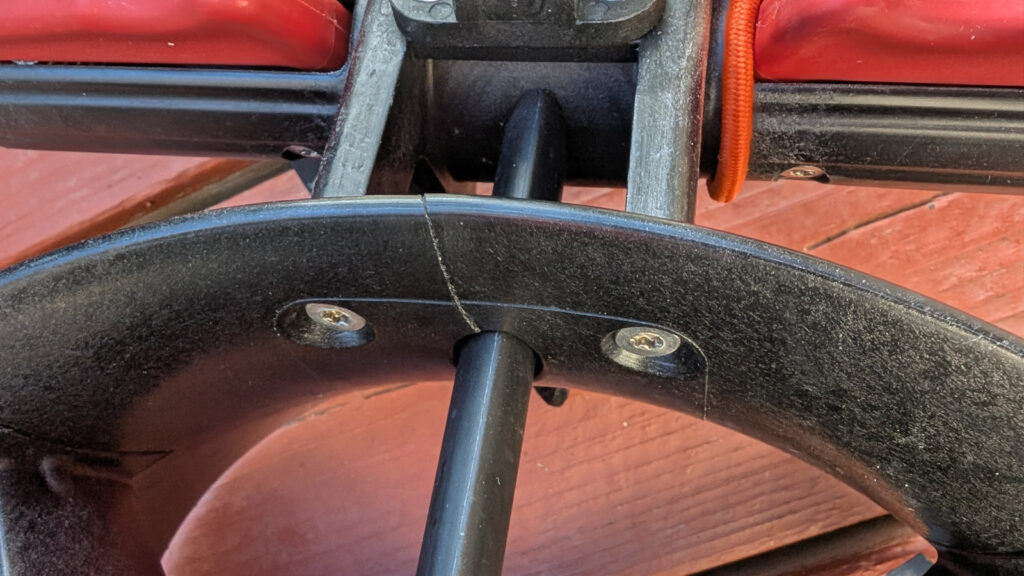
- Is there any signs of scratches inside, caused by rubbing the propeller?

Handles and triggers check
Start by checking your DPV handles.
- Do the triggers operate smoothly, and are not getting stuck?
- Does each trigger activate the motor when pressed?
Piezo buttons and the main control panel screen
This is a part of the scooter that requires close attention, especially in case of any mechanical impacts.
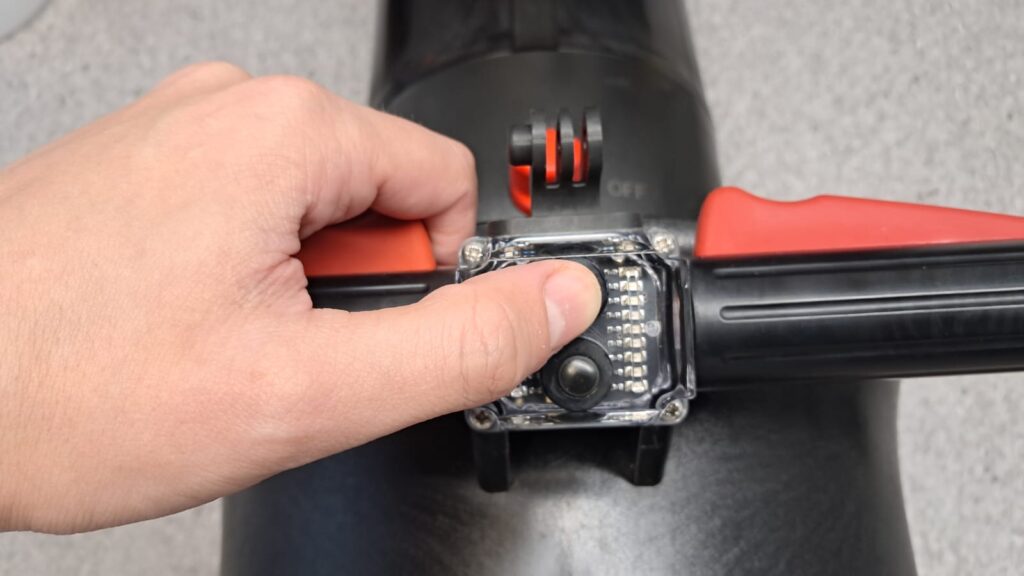
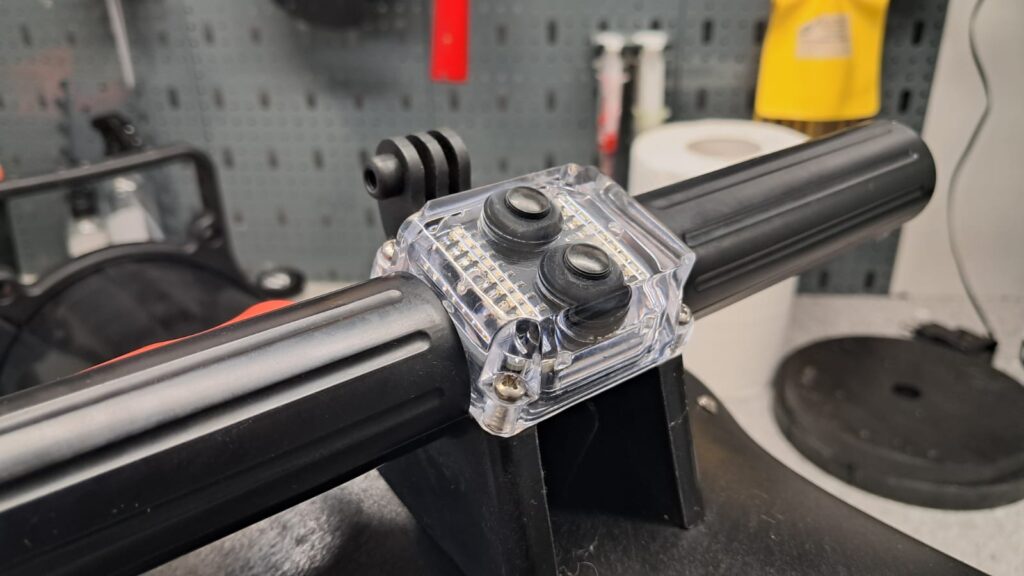
- Check if both rubber ‘buttons’ are properly attached to the screen
- Check if there are no cracks visible on the main control panel screen. Inspect especially the areas close to the screws. In case of any cracking or damage, there is a risk of flooding the DPV.
Now, check if both buttons are working
- Press the upper and lower piezo buttons to ensure that they are changing the gears correctly.
Pay close attention and inspect the screen surface and areas around the screws. Any cracks or damage in these regions could lead to flooding of the DPV
Seals and caps control
It is recommended to replace all o-rings, regardless of their look, every 2 years.
Open the DPV by scre out the cap nut, then:
- Check the caps seals for damage and dirt
- Check the cap internal surfaces for scratches
- Clean and grease the cap nuts and seals
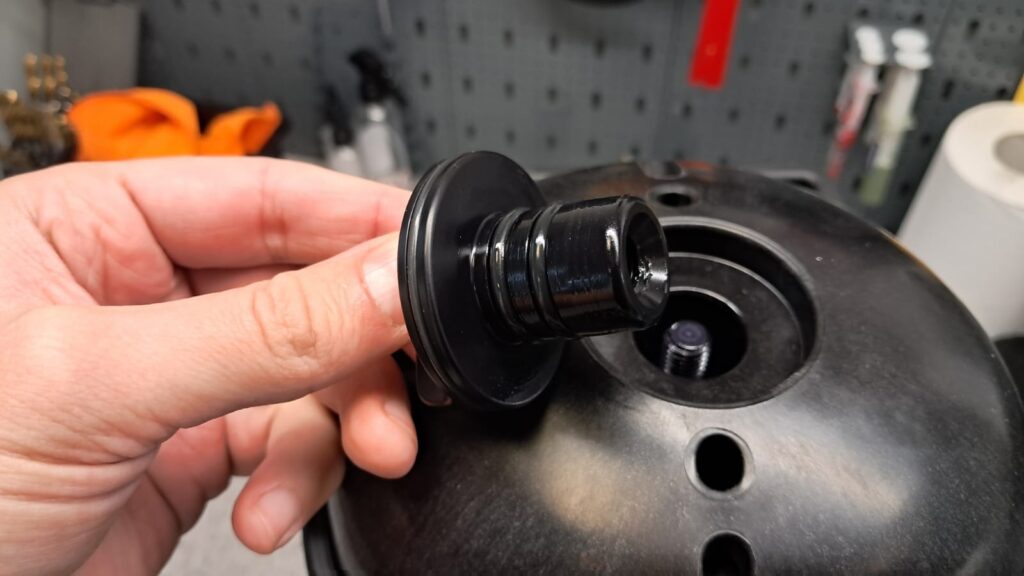 Check the cap nut and orings, use only dedicated Seacraft orings, and grease when replacing the old ones.
- After opening the DPV tube, check the body sealing o-rings, and grease them
- Check the inside surface of the DPV tube, as any scratch of sealing surface may lead to leaks.
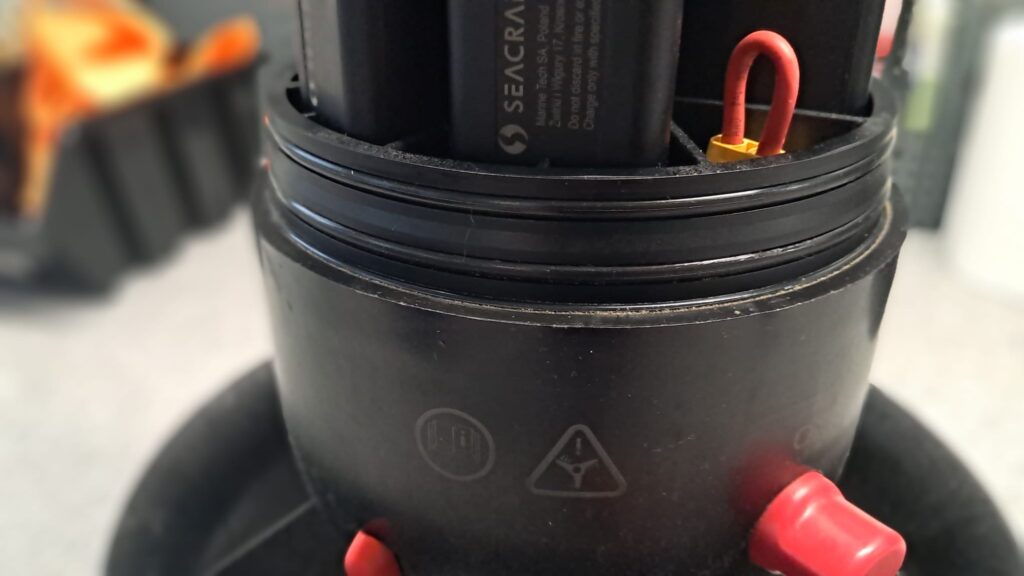
Charging port and charger plug control
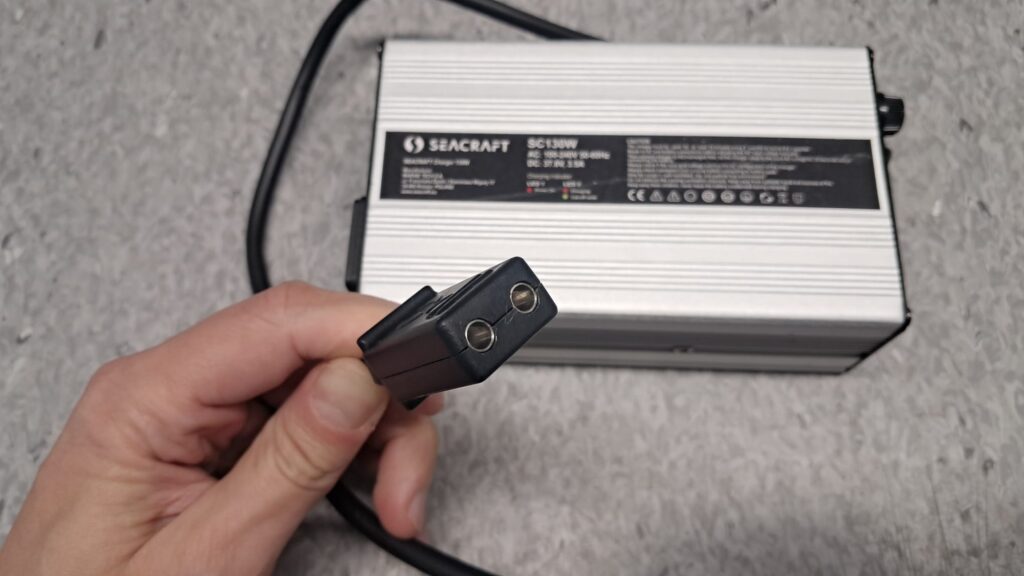
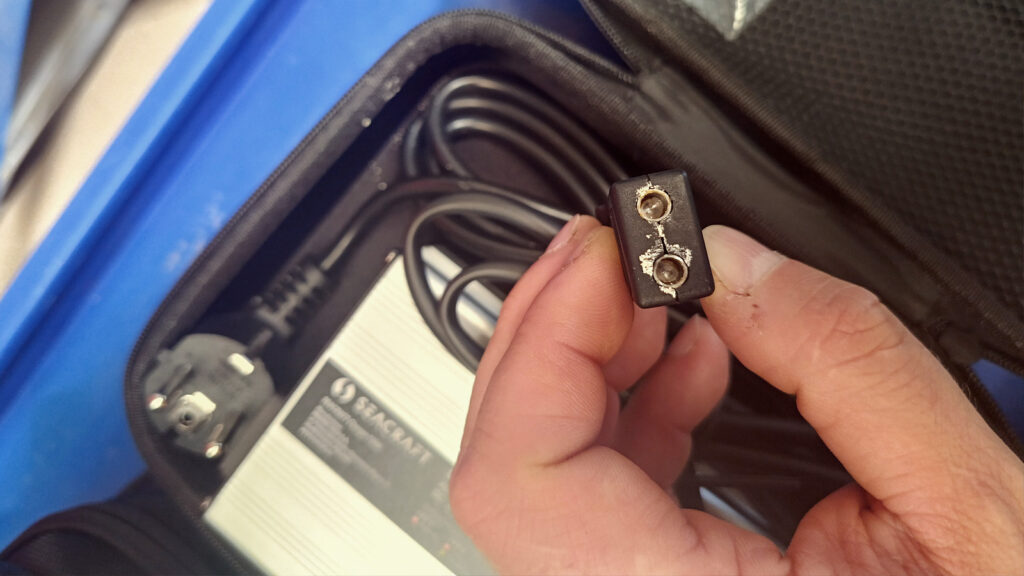
- Check the charging port contacts – they should be shiny and silver. Any green colour/oxidation or corrosion sign can indicate partial charging port damage. Remember to use a silicone port blinder on the contacts and clean them after each use in saltwater.
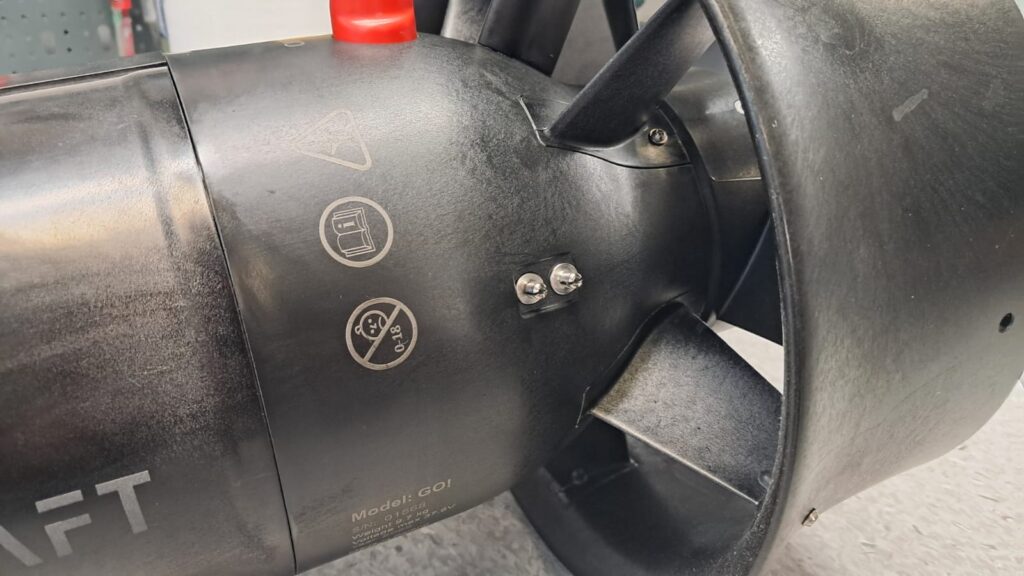
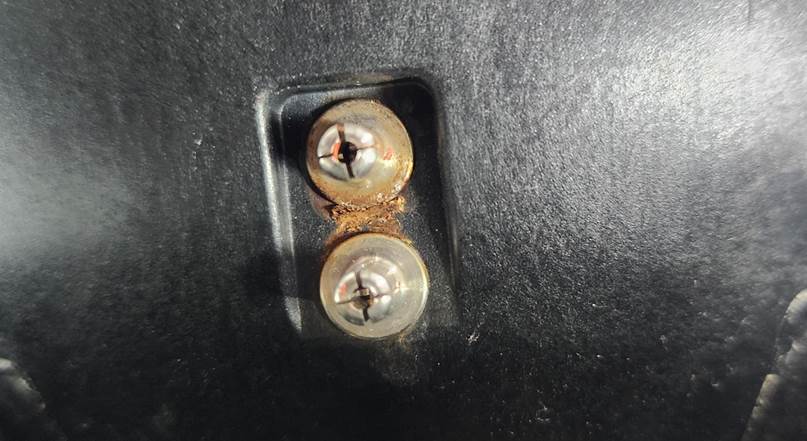
- Check the plug of the charger and make sure there are no signs of any corrosion or other damage inside the ports.
Magnetic propulsion – the heart of the scooter
Due to the lack of a propeller shaft, the Seacraft motor is a virtually maintenance-free system. However, to ensure its long life-span it is recommended to remember about few simple things.
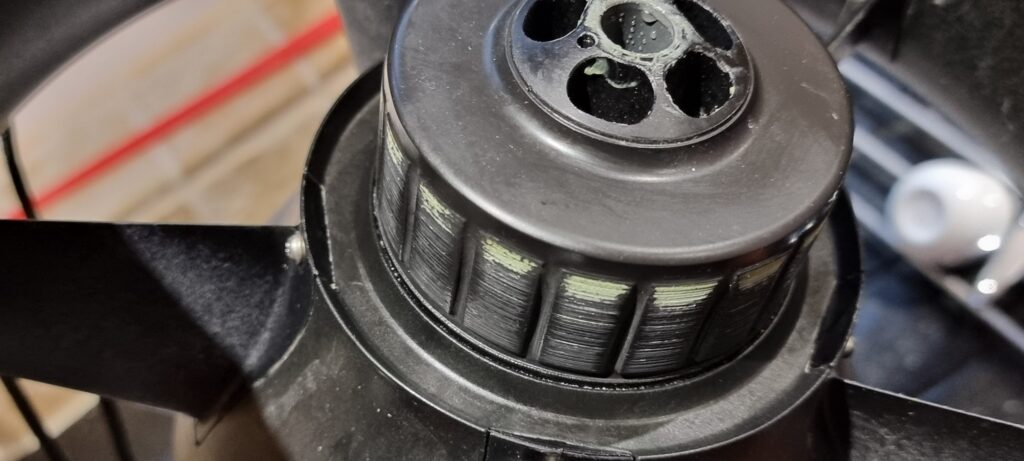
Remember about keeping your motor correctly greased – this is a good moment to clean out old grease, and apply the new one.
Running the motor without grease can significantly reduce the life time of the thrust bearing- the only part in the Seacraft motor that is considered consumable.
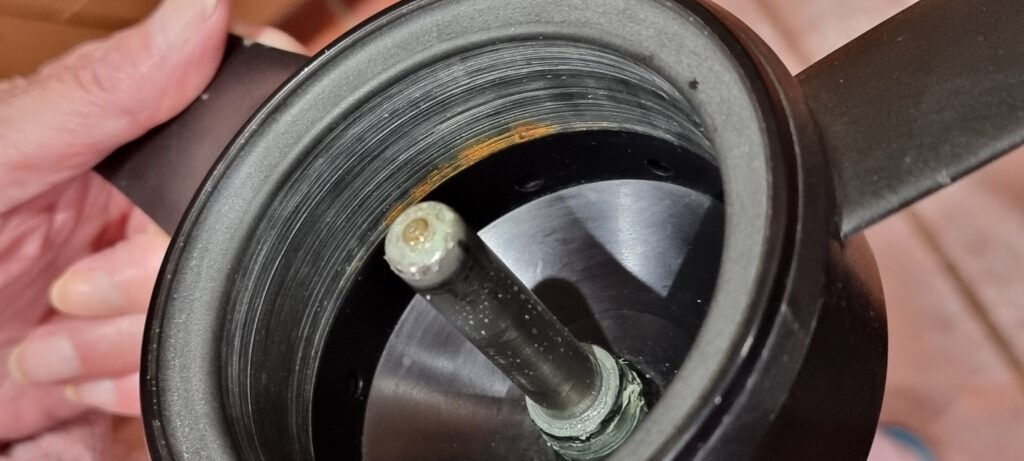
–->Cleaning and greasing of the motor
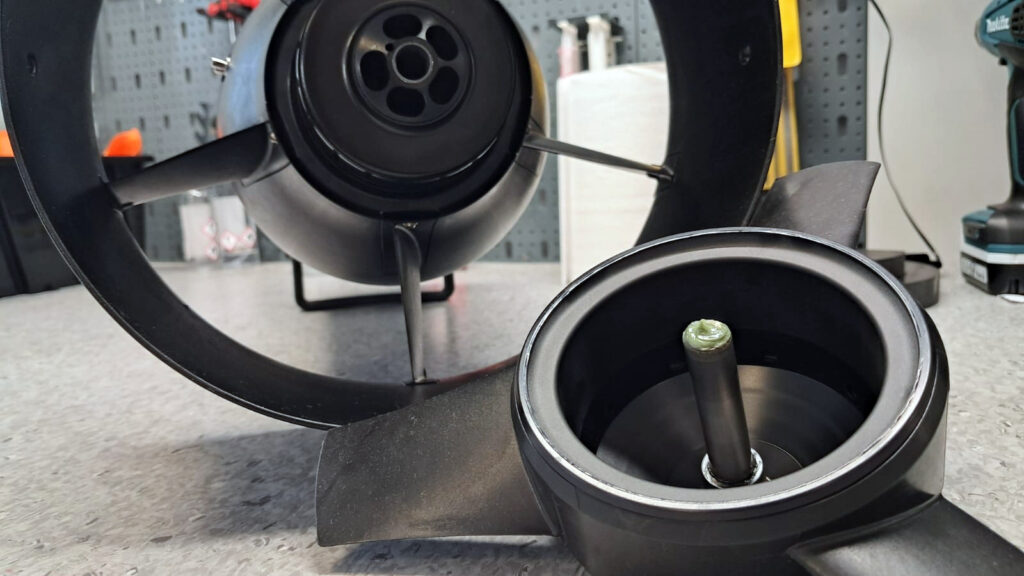
- Check that the propeller does not rub against the scooter nozzle and that the gap between the screw and the nozzle is similar at each propeller blade. (rotate the propeller by hand)
- Remove the propeller. Inspect the internal surface of the rotor (magnetic ring) for damage, uneven surfaces.
- Check the motor surface for scratches, corrosion or other damage. A clean and solid surface ensures motor long life. Even minor damages may start getting worse with time.
- Check the propeller axis tip – there has to be green engine grease on the tip. If it is non, follow the engine greasing procedure.
- Check the propeller for dents and damage. Minor ones can be removed using a sharp knife and sandpaper.
Internal DPV control
As usually, Seacraft DPV does not need to be opened for recharging, it is good to control its internal look at least once per year. See inside after opening the tube and:
- If the elements of the scooter’s internal structure contain traces of dirt, e.g. salt, they should be wiped with a damp, soft cloth and then wiped dry.
- In the event of traces of moisture condensation, it is recommended to leave the open structure in a dry room (for example, with air conditioning running) for approx. 24 hours.
- Check if the battery segments are correctly stuck in and there are no signs of any humidity or burns in the sockets.

Battery segments control
It is good practice to verify the voltages of individual battery segments each
time they are reassembled. Every time before inserting the battery
segments into the battery pack housing, and verify the voltages of all segments – each segment separately – by plugging a voltage meter into the segment’s electrical connector, and make sure that the voltage of the individual batteries does not differ by more than 0.2V.

Final control
Reassemble the DPV, and tighten the caps.
Now, check:
- How does the motor run? Is it silent and smooth, without vibration?
- Do the scooters charge properly to at least 90% after connecting the charger?
- Are gear up and down shifting and the diodes on the screens are working fine?
Now, the scooter is ready for the next diving season.
There are several new improvements and innovations available for your scooters – and they are reverse compatible with almost all Seacraft DPVs.
Possibly, the break in diving is a good time, so send your scooter to the factory, or authorised service point for proper revision and upgrade?
In case of any hesitation or information needed about best procedures with your scooter, contact us.